
In my cabinet shop, two cut lists for the same job on the bench means somebody cuts from the wrong one. AI agents do the same thing with files. I run ChatGPT, Codex, Microsoft Copilot, Grok, Claude and Gemini against the same OneDrive project folders. Each one is smart. None of them knows which roadmap is the real one unless the folder tells it.
So I built a free, open-source Agent Skill for that: Multi-Agent Folder Cleanup. The current release is v2.0.0. Here’s what it fixes, what it changed in my own folders, and how to install it.
The problem: many AI agents, one shared folder
One chat with one AI stays tidy. A folder that several agents work in, or several sessions of the same agent, doesn’t. Here’s what piles up:
- Competing plans. One agent writes a roadmap, a second writes another, and a third saves
roadmap_v2_FINAL.md. - Stale indexes. The project index still describes the folder from last month.
- Sync copies. OneDrive leaves
ROADMAP (1).mdbehind, so now there are two “current” files. - Half-finished edits. An agent stages a change to a shared record and nobody ever applies it.
- Cold starts. Every new session re-reads everything and redoes work that’s already finished.
It’s the same problem as a shop with no job folder system. The fix isn’t a smarter worker. It’s a place for everything and a rule for what counts as current.
What the skill does
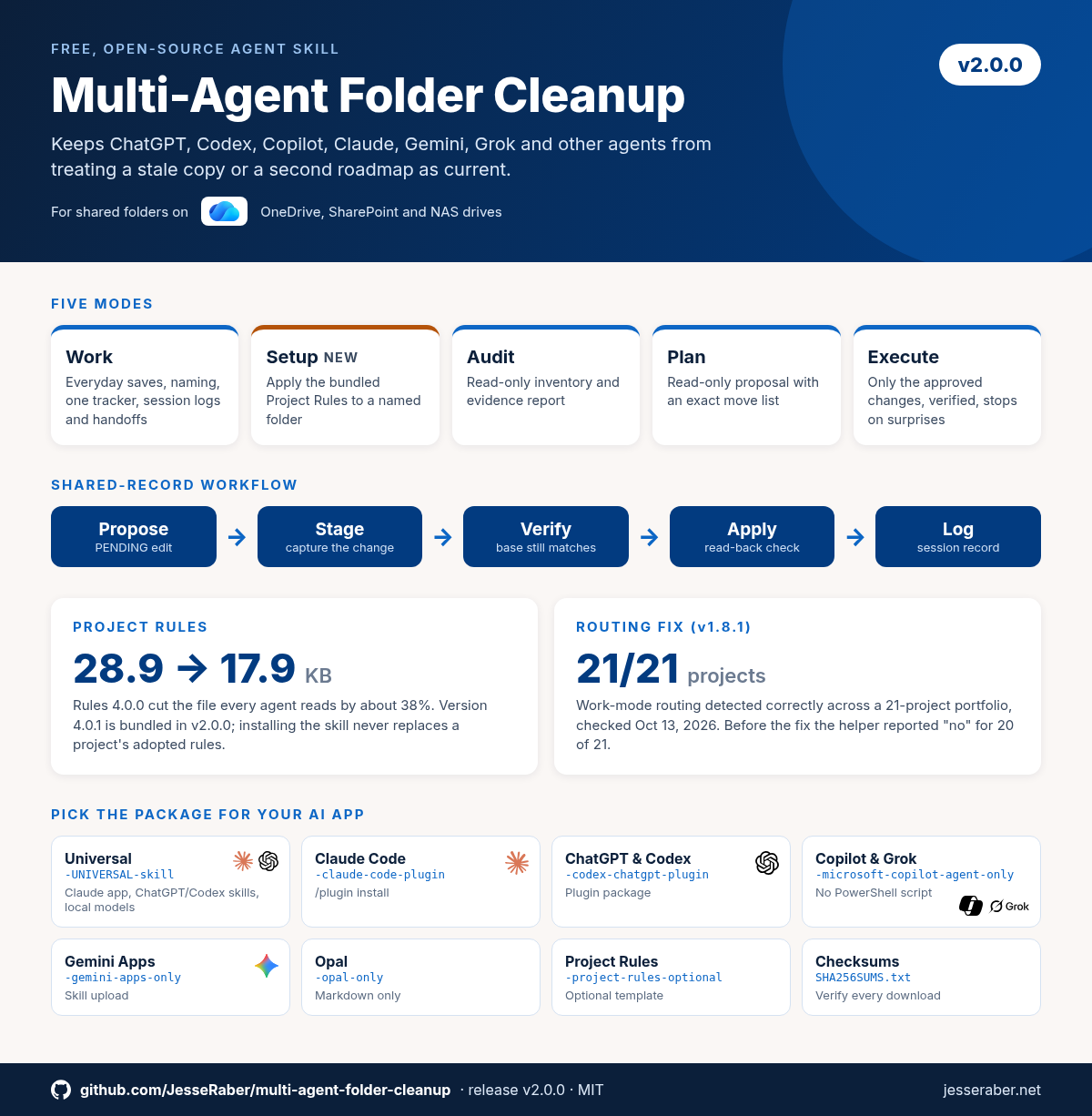
The goal is simple: an agent that opens the folder cold should be able to tell what’s true now, what’s only proposed, what just came in, and what’s history, without guessing between copies that all look right. The skill works in modes, and the agent states its mode on the first line of its answer.
Work mode: everyday work in a shared folder
This is the mode agents use most. It covers where to save, how to name files, keeping one authoritative roadmap or task tracker, updating the index, logging each session and leaving a handoff for the next agent. It also adds read-only checks: orient (is another agent active right now?), session-index (do the logs match the index?) and pending (are any staged edits left unapplied?).
Setup mode: new in v2.0.0
Say “Apply project rules to this folder” and the skill adopts the bundled Project Rules (4.0.1) for that folder. It keeps your existing records and builds instruction blocks for the AI app you’re actually using, including browser-only and upload-only agents that can add files but not edit them.
Audit, Plan and Execute: the cleanup modes
- Audit is read-only. It reports what’s there, where the duplicates and stale records are, and who has been working in the folder.
- Plan is also read-only. It proposes an exact layout and a literal list of moves, labeled PROPOSED.
- Execute carries out only the list you approved, with hash checks, and stops on anything unexpected: a changed file, a name collision, another writer or an incomplete upload.
Nothing is deleted by default. Each delete needs its own approval naming the file, and the skill runs a recycle-path test first. Folder cleanup never authorizes Git pushes, deployments, permission changes or credentials.
Before and after: real numbers from my folders
I use this skill on my own project portfolio: this website, Mozaik training material, shop workflows and the skill itself. These numbers come from the dated audits and release notes, not from a demo.
| What was checked | Before | After |
|---|---|---|
| Project Rules file every agent reads | 28.9 KB | 17.9 KB (about 38% smaller, Rules 4.0.0) |
| Projects whose Work-mode routing was detected correctly | 1 of 21 (a helper bug reported “no” for 20) | 21 of 21 (fixed in v1.8.1, checked Oct 13, 2026) |
| Staged edits left over across the portfolio | 34 pending files found in the Oct 8, 2026 audit | Now listed and classified by the --pending check (shipped v1.7.0) |
The first row matters more than it looks. Every agent reads the rules file at the start of every session, so a smaller file means less to read, fewer contradictions and more of each session left for real work.
This is the same discipline I use with shop data. If you’ve read my post on integrating Mozaik SQLite database exports, it’s the same idea: one source of truth, and everything else points to it.
How to install it
Download from the v2.0.0 release page. Each AI app has its own ZIP, and every release includes a SHA256SUMS.txt so you can check your download.
- Almost everything (Claude app upload, ChatGPT and Codex standalone skills, local models, any skills folder):
…-UNIVERSAL-skill.zip - Claude Code:
…-claude-code-plugin.zip, or/plugin install multi-agent-folder-cleanup@jesseraber-plugins - ChatGPT and Codex plugin:
…-codex-chatgpt-plugin.zip - Microsoft Copilot agents, and Grok:
…-microsoft-copilot-agent-only.zip(these hosts reject PowerShell scripts) - Gemini Apps and Opal: their own
-onlyZIPs. Project Rules come as an optional separate ZIP.
Keep exactly one copy installed. If an old backup sits in a folder your AI app scans for skills, it can load instead of the new version. After installing, start a new chat and check that the agent reports the version you installed.
How I use it day to day
- Once per project: “Apply project rules to this folder.” That’s Setup mode.
- At the start of a session: “Run the orient check and tell me if another agent looks active.”
- When things feel messy: “Audit this folder. Don’t change anything.” Then “Plan a cleanup,” and approve only the moves I agree with.
If the agent jumps straight to proposing a new folder tree without stating a mode, the skill didn’t load. Reinstall it and start a new chat.
AI agents are just another tool in the shop now. I grew up in a cabinet shop (here’s that story), and the lesson carries over: tools pay off when the system around them is clear.
Get your shop’s software side organized too
The skill is free on GitHub under the MIT license. If your real bottleneck is Mozaik itself (libraries, CNC output, getting jobs from design to the machine), I offer one-on-one training built around how your shop works.